Top 3 IPTV Providers September 2025
Tvcorn.com
Trial: Yes
Price: from $6.99/month
130K+ VOD, 35K+ Channels
streamQ.tv
Trial: Yes
Price: from $7.99/month
80K+ VOD, 25K+ Channels

Layerseven
Trial: Yes
Price: from $14.99/month
120K+ VOD, 35K+ Channels
Firestick Guides
How to Install Kodi on Firestick – Easy Install Guide (2025)
Introduction: Unlock Your Firestick's Full Potential with Kodi Your Amazon Firestick is a fantastic device for accessing popular streaming platforms,...


Streaming Apps
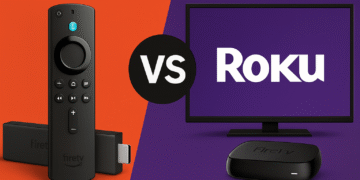
Firestick vs Roku: The BEST Streaming Device in 2025?
Introduction: If you’re choosing between an Amazon Fire TV Stick and a Roku TV for streaming, understanding their differences matters — especially for installing apps and watching IPTV. Roku’s closed platform generally does not allow third‑party app installs, while Amazon’s Fire TV Stick (Firestick) traditionally offers more openness and sideloading options. Below we compare Firestick vs Roku Tv across operating system, app availability, IPTV support, price, and ease of use, plus a short note on legality: using IPTV or third‑party apps can raise copyright and security issues, so prefer licensed services and trusted sources. This guide will help you decide which device best fits your needs and HDMI setup. Quick Comparison of Firestick vs Roku Operating System: Firestick runs on Fire OS (Android) — an open platform that generally lets you install apps from outside the Amazon Appstore — whereas Roku’s OS is closed, supporting only apps from the official Channel Store. This OS difference is the main factor driving flexibility Fire TV devices behave more like an Android streaming stick, while Roku prioritizes a tightly controlled, consistent interface. App Installation (Sideloading): Amazon Fire TV Sticks support sideloading of apps — you can add APKs (for example, Kodi or TiviMate) via tools like Downloader or the Amazon Appstore. Roku devices do not offer a practical way for average users to install third‑party apps; Roku removed private (non‑certified) channels in 2022 and limits installs to its Channel Store. If you need true third‑party apps, Firestick is the simpler option. IPTV & Free Streaming: Because of sideloading, Firestick is typically better for IPTV and free streaming. Users can install IPTV players and streaming APKs to watch live TV, sports, and more (examples: IPTV Smarters, Smart IPTV). On Roku, custom IPTV apps are blocked, so many cord‑cutters report that a Firestick or Android box is recommended if you rely on third‑party streaming sources. Price & Value: Both Roku and Fire TV products are affordable (entry models often start around $30 for HD sticks; 4K models around $50 — prices vary by sale and region). Firesticks often provide strong value because their openness can let you access more free or low‑cost content without extra subscriptions. Roku’s upfront cost is similar, but its closed ecosystem may mean paying for more services long term if you don’t use side‑loaded apps. User Experience: Roku’s interface is simple and easy to use — good for non‑technical users — and Roku curates content aggressively. Fire TV’s interface is more feature‑rich with Alexa voice control, personalized suggestions, and deeper settings; however, it can promote Amazon content on the home screen. Both platforms show some ads; users often note Roku’s home‑screen promotions are more prominent, while Firestick (being Android‑based) gives enthusiasts ways to customize the interface or reduce ads with alternate launchers. Importantly, Firestick supports VPN apps natively for privacy on the device itself, while Roku cannot run VPN apps directly (you can only protect Roku traffic via a router‑level VPN or a shared connection). Operating System & App Installation: Open vs....
LATESTNEWS
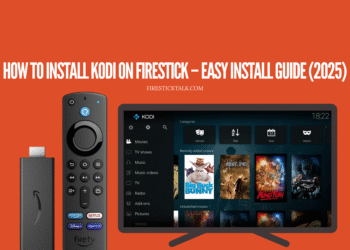
How to Install Kodi on Firestick – Easy Install Guide (2025)
Introduction: Unlock Your Firestick's Full Potential with Kodi Your Amazon Firestick is a fantastic device for accessing popular streaming platforms, but its true power lies just beneath the surface. By installing Kodi, a versatile and...
Read moreDetails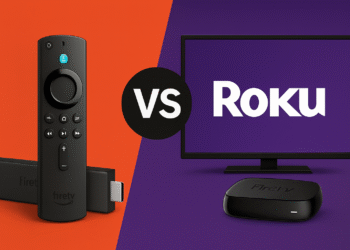
Firestick vs Roku: The BEST Streaming Device in 2025?
Introduction: If you’re choosing between an Amazon Fire TV Stick and a Roku TV for streaming, understanding their differences matters — especially for installing apps and watching IPTV. Roku’s closed platform generally does not allow third‑party app installs, while Amazon’s Fire TV Stick (Firestick) traditionally offers more openness and sideloading options. Below we compare Firestick vs Roku Tv across operating system, app availability, IPTV support, price, and ease of use, plus a short note on legality: using IPTV or third‑party apps can raise copyright and security issues, so prefer licensed services and trusted sources. This guide will help you decide which device best fits your needs and HDMI setup. Quick Comparison of Firestick vs Roku Operating System: Firestick runs on Fire OS (Android) — an open platform that generally lets you install apps from outside the Amazon Appstore — whereas Roku’s OS is closed, supporting only apps from the official Channel Store. This OS difference is the main factor driving flexibility Fire TV devices behave more like an Android streaming stick, while Roku prioritizes a tightly controlled, consistent interface. App Installation (Sideloading): Amazon Fire TV Sticks support sideloading of apps — you can add APKs (for example, Kodi or TiviMate) via tools like Downloader or the Amazon Appstore. Roku devices do not offer a practical way for average users to install third‑party apps; Roku removed private (non‑certified) channels in 2022 and limits installs to its Channel Store. If you need true third‑party apps, Firestick is the simpler option. IPTV & Free Streaming: Because of sideloading, Firestick is typically better for IPTV and free streaming. Users can install IPTV players and streaming APKs to watch live TV, sports, and more (examples: IPTV Smarters, Smart IPTV). On Roku, custom IPTV apps are blocked, so many cord‑cutters report that a Firestick or Android box is recommended if you rely on third‑party streaming sources. Price & Value: Both Roku and Fire TV products are affordable (entry models often start around $30 for HD sticks; 4K models around $50 — prices vary by sale and region). Firesticks often provide strong value because their openness can let you access more free or low‑cost content without extra subscriptions. Roku’s upfront cost is similar, but its closed ecosystem may mean paying for more services long term if you don’t use side‑loaded apps. User Experience: Roku’s interface is simple and easy to use — good for non‑technical users — and Roku curates content aggressively. Fire TV’s interface is more feature‑rich with Alexa voice control, personalized suggestions, and deeper settings; however, it can promote Amazon content on the home screen. Both platforms show some ads; users often note Roku’s home‑screen promotions are more prominent, while Firestick (being Android‑based) gives enthusiasts ways to customize the interface or reduce ads with alternate launchers. Importantly, Firestick supports VPN apps natively for privacy on the device itself, while Roku cannot run VPN apps directly (you can only protect Roku traffic via a router‑level VPN or a shared connection). Operating System & App Installation: Open vs. Closed One of the clearest differences between these devices is the operating system. Amazon Fire TV Sticks run Fire OS, which is built on Android, so a Firestick behaves like an Android streaming stick. That open platform and flexible system lets you change settings, install apps from the Amazon Appstore, or sideload APKs via tools such as the Downloader app. Enabling sideloading (sometimes loosely called “jailbreaking”) is typically a settings toggle on compatible Fire TV models; once enabled, you can install apps like Kodi, IPTV players, web browsers, and other third‑party software. Roku’s operating system, by contrast, is closed. Whether you use a Roku streaming stick or a Roku smart TV, you cannot install apps that aren’t in Roku’s official Channel Store. Roku does not run Android and does not support APK files. Roku previously offered “private channels” (unlisted apps added with a code), but Roku removed non‑certified private channels in February 2022, so there is no officially supported way to sideload apps on Roku today. While a hidden developer mode exists for channel testing, it’s not a practical route for most users who want third‑party apps. In short: the Firestick platform gives you more control over apps and the device setup, while Roku’s system emphasizes consistency and a curated experience. Keep in mind that instructions and app availability change over time — check your device’s settings and model documentation before attempting sideloading. Also note a brief legal reminder: installing or using apps to access unlicensed content can violate copyright and expose your device to security risks; prefer licensed services and trusted sources. Firestick vs Roku TV: App Support & IPTV Compatibility When it comes to the major streaming services, both Roku and Fire TV will have you covered.All the popular apps like Netflix, YouTube, Amazon Prime Video, Disney+, Hulu, HBO Max, etc. are available on both platforms, and using those official apps feels basically the same on Roku vs Firestick. If your needs are limited to mainstream services, either device will handle streaming your favorite shows and movies. Roku’s Channel Store is especially broad — it lists thousands of official entries (often quoted as over 5,000 channels/apps) covering big services and niche options — while Firestick’s Amazon Appstore has fewer listed apps but includes every major service and many third‑party favorites. The real difference appears when you want more than just the basics.Amazon’s Firestick allows you to go beyond the official catalog because it runs on an Android‑based platform. You can sideload APK installer files or install apps not listed in the Appstore, opening up thousands of additional streaming options — international TV apps, retro game emulators, and apps that advertise free movies or sports. Common examples include installing Kodi or specialized IPTV apps to access content not available through official channels. You can also add web browsers or custom launchers to change how the device looks and behaves. In short, Firestick can access many “unofficial” content sources more easily than Roku....
Read moreDetails
What is a Firestick? Understanding the Streaming Device
Discover what is a Firestick, why it matters, and how it revolutionizes streaming for cord cutters and tech enthusiasts with this comprehensive guide.
Read moreDetails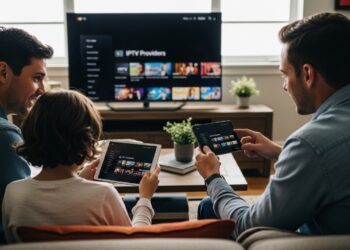
Understanding IPTV Providers: What You Need to Know
Delve into the world of IPTV providers. This guide explains IPTV providers clearly and comprehensively, covering key concepts and their significance.
Read moreDetails
8 Types of Streaming Apps You Should Know
Discover 8 essential types of streaming apps to enhance your viewing experience and make the most of your streaming setup.
Read moreDetails